
How Google Ads Helps Small Businesses Reach the Right Customers
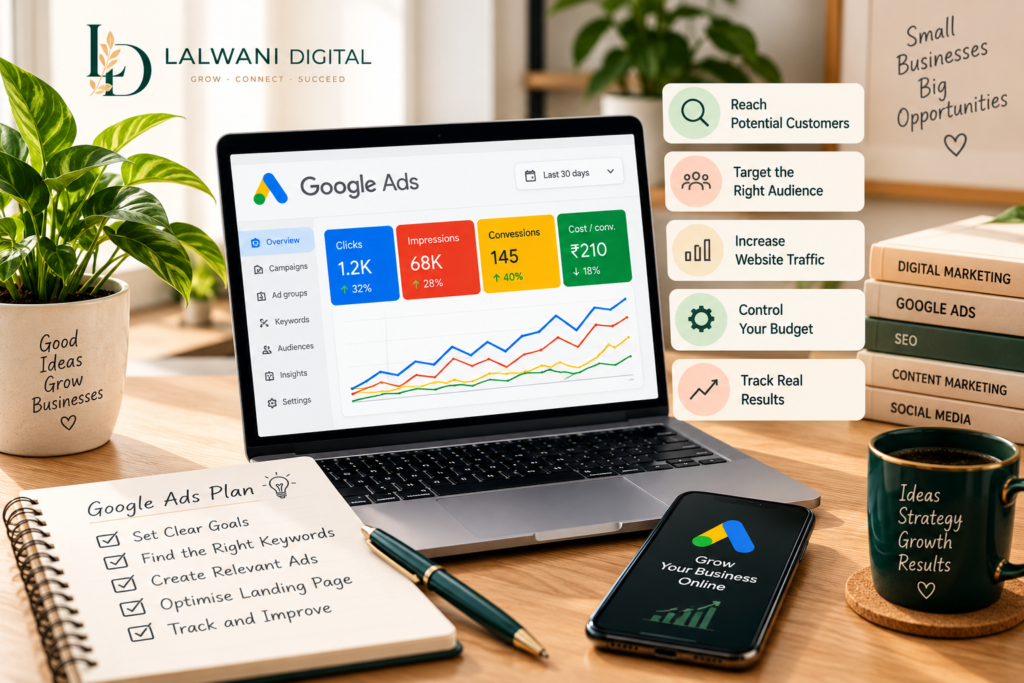
Imagine running a business that offers exactly what a customer needs. Your products are ready, your services are available, and your website provides all the necessary information. Yet, potential customers may not discover your business because it is difficult to appear in front of them at the right moment.
This is a common challenge for small businesses trying to establish their presence online.
Google Ads provides a way to display advertisements to people who are searching for relevant products, services, or information. Instead of waiting for visitors to discover a website naturally, businesses can use paid campaigns to introduce their offerings to selected audiences.
However, running advertisements involves more than setting a budget and choosing a few keywords. Businesses need to understand their customers, prepare suitable landing pages, and monitor campaign performance.
In this blog, we will explore how Google Ads works, why it can be useful for small businesses, and what to consider before launching a campaign.
What Is Google Ads?
Google Ads is an online advertising platform that allows businesses to promote their products and services across Google’s advertising network.
Businesses can create campaigns based on specific objectives, such as attracting website visitors, generating enquiries, encouraging phone calls, or promoting products.
For example, a person searching for “website designer for a small business” may see a sponsored result from a company offering website development services.
If the advertisement matches the person’s needs, they may click it to learn more.
Google Ads offers several campaign formats, including:
- Search campaigns: Text advertisements that can appear alongside relevant Google search results.
- Display campaigns: Visual advertisements shown across participating websites and apps.
- Video campaigns: Advertisements delivered through platforms such as YouTube.
- Shopping campaigns: Product-focused advertisements that display details such as images and prices.
- Performance Max campaigns: Campaigns that use Google’s advertising inventory across multiple channels to pursue selected business goals.
Each format serves different purposes. The appropriate choice depends on the business, its audience, and the outcome it wants to achieve.
Why Should Small Businesses Consider Google Ads?
Small businesses often operate with limited marketing budgets. They need to make careful decisions about where and how they promote their services.
Google Ads can provide several opportunities when campaigns are planned around clear objectives.
1. Reach People Who Are Already Searching
One of the key features of search advertising is its connection to user searches.
A person looking for a service may already have an idea of what they need. An advertisement that matches their search can introduce a relevant business during that research process.
For example, a local company offering air conditioner repairs may target searches related to repair services in its operating area.
This allows the business to focus its advertising on relevant searches rather than showing the same message to everyone.
2. Control Advertising Budgets
Google Ads allows advertisers to set campaign budgets and manage their spending.
A small business can begin with a budget that suits its resources and adjust its campaigns as it gathers performance data.
However, setting a budget does not automatically make a campaign profitable. The cost of clicks, quality of traffic, competition, and conversion rate all influence the outcome.
Businesses should establish spending limits and review results regularly.
3. Target Relevant Audiences
Advertising campaigns can be structured around factors such as search terms, geographic areas, and other available targeting options.
A business serving customers in a particular city may choose to focus its campaign on that location.
Similarly, a company selling specialised products can organise campaigns around searches connected to its offerings.
Relevant targeting helps reduce exposure to audiences who are unlikely to need the advertised service.
4. Generate Website Visits and Enquiries
Google Ads can direct interested users to a specific page on a business website.
That page might contain a service description, product information, contact form, or booking option.
For example, an advertisement for website development should ideally lead visitors to a page explaining that service rather than sending everyone to an unrelated section of the homepage.
A clear destination makes it easier for visitors to understand the offer and decide what to do next.
5. Measure Campaign Performance
Digital advertising provides access to performance information that businesses can use to review their campaigns.
Depending on the setup, advertisers can monitor:
- Advertisement impressions.
- Clicks and click-through rates.
- Average cost per click.
- Conversions and enquiries.
- Cost per conversion.
- Campaign spending.
These measurements help businesses understand how their advertising is performing and where adjustments may be necessary.
How Does Google Ads Work?
Google Ads operates through an advertising auction. When an eligible search or placement occurs, the system evaluates advertisements based on factors that can include bids, relevance, expected performance, and other auction-time signals.
This means that the advertiser offering the highest bid does not automatically receive the top position.
The relevance of the advertisement and the experience provided by its landing page also matter.
A well-planned campaign should therefore connect three important elements:
- Search intent: What the potential customer is looking for.
- Advertisement: The message that introduces the business and its offering.
- Landing page: The information and action available after the visitor clicks.
When these elements work together, visitors can move from their search to relevant information without unnecessary confusion.
Important Steps Before Launching a Google Ads Campaign
Starting an advertising campaign without preparation can lead to wasted spending and unclear results.
Small businesses can reduce this risk by following a structured process.
Step 1: Define Your Campaign Objective
Begin by deciding what you want the advertisement to achieve.
Possible objectives include:
- Receiving enquiries through a contact form.
- Generating phone calls.
- Increasing visits to a service page.
- Promoting a particular product.
- Encouraging bookings or purchases.
A specific objective makes it easier to select campaign settings and evaluate performance.
Step 2: Research Relevant Keywords
Keywords help connect search advertisements with relevant user queries.
For example, a business offering website development might research phrases such as:
- WordPress website development.
- Business website design.
- Website designer for small businesses.
- Professional website development services.
Keyword selection should reflect the services offered and the language potential customers use.
Negative keywords can also help prevent advertisements from appearing for irrelevant searches.
Step 3: Write Clear Advertisement Copy
An advertisement should communicate the offering without making confusing or unsupported promises.
Useful elements include:
- A relevant headline.
- A clear description of the service.
- A benefit that matters to the audience.
- A suitable call to action.
For example, an advertisement for a website development service might encourage visitors to explore the available design solutions or request a project discussion.
The message should accurately reflect what visitors will find after clicking.
Step 4: Prepare a Relevant Landing Page
A landing page plays an important role in the visitor’s experience.
It should explain the advertised offering and make the next step easy to understand.
Before launching a campaign, check that the page:
- Loads properly on mobile and desktop devices.
- Presents clear and useful information.
- Includes relevant contact or enquiry options.
- Matches the advertisement’s message.
- Provides a simple navigation experience.
Sending paid traffic to an incomplete or unrelated page can reduce the value of advertising efforts.
Step 5: Set Up Conversion Tracking
Clicks alone do not explain whether a campaign is contributing to business goals.
Conversion tracking can help measure actions such as form submissions, purchases, or phone calls when properly configured.
This information allows advertisers to review whether their campaigns are attracting meaningful interactions rather than simply generating visits.
Step 6: Monitor and Improve
Campaign management continues after advertisements go live.
Businesses should review search terms, spending, conversions, and other performance indicators.
Based on the findings, they may need to adjust keywords, advertisement copy, targeting, budgets, or landing pages.
Regular monitoring helps identify issues before they consume a significant portion of the advertising budget.
Common Google Ads Mistakes Small Businesses Should Avoid
A campaign may struggle when important details are overlooked.
Here are some mistakes worth watching for:
Choosing overly broad keywords: General searches may attract visitors who are not interested in the actual service.
Ignoring negative keywords: Without suitable exclusions, advertisements may appear for unrelated searches.
Sending all visitors to the homepage: A specific service page may provide a more relevant experience.
Using unclear advertisement messages: Visitors should understand what the business offers before clicking.
Forgetting conversion tracking: Without meaningful measurements, it becomes difficult to understand campaign outcomes.
Making changes without reviewing data: Frequent adjustments based on limited information can make performance harder to evaluate.
Expecting immediate profits: Advertising results depend on several factors, and campaigns often require testing and refinement.
Avoiding these mistakes can help businesses approach paid advertising with greater clarity.
How Google Ads Fits Into a Complete Digital Marketing Strategy
Google Ads can support other marketing activities rather than functioning as a completely separate effort.
For example, SEO can help a website attract organic visitors, while paid search advertisements provide another opportunity to appear for relevant searches.
Content marketing can give visitors useful information after they arrive on a website. Social media can introduce the brand to audiences through different types of communication.
A professional website connects these activities by presenting the business, explaining its services, and providing clear enquiry options.
At Lalwani Digital, our services include Google Ads, Meta Ads, SEO, Social Media Marketing, Content Marketing, and WordPress Website Development.
These services can be planned together according to a business’s goals, available resources, and audience.
Final Thoughts
Google Ads gives small businesses an opportunity to promote their offerings when people are searching for relevant products or services.
However, successful advertising involves more than launching a campaign. It requires clear objectives, suitable keywords, relevant advertisements, useful landing pages, and regular performance reviews.
Businesses that approach paid advertising with a structured plan can make more informed decisions about their marketing activities.
At Lalwani Digital, we believe that digital marketing should connect business goals with practical strategies. Every campaign should have a clear purpose and provide a meaningful experience for the people it reaches.
Explore Lalwani Digital’s Google Ads services to learn how targeted advertising can become part of your business’s online growth strategy.